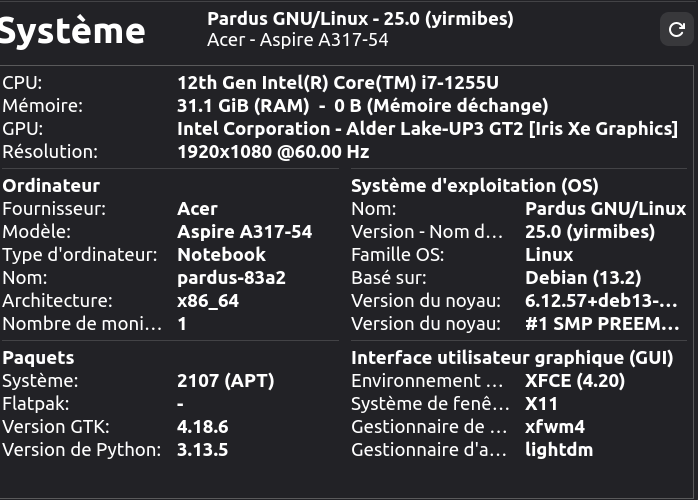
Hello everyone,
Since I migrated from Pardus 23.4 to version 25, my laptop boots up much more slowly.
Can you help me? 
Hello everyone,
Since I migrated from Pardus 23.4 to version 25, my laptop boots up much more slowly.
Can you help me?
hi bro
i think thats because pardus 25 has way more stuff in it, and 23.4 was lighter so that might be the reason why your laptop boots a little slower in 25.
and i wonder why u use ur pc in 60 Hz, i strongly believe you have 144. thats out of the topic but i really want to know.
This is a Google Translate translation. I apologize for any errors.
As Linux users, we generally recommend a clean install rather than upgrading from one major version to the next. Upgrading can often cause problems. If you’ve already done a clean install, please disregard this warning.
There are multiple causes of the slowness issue, and we’ll need more data to identify them.
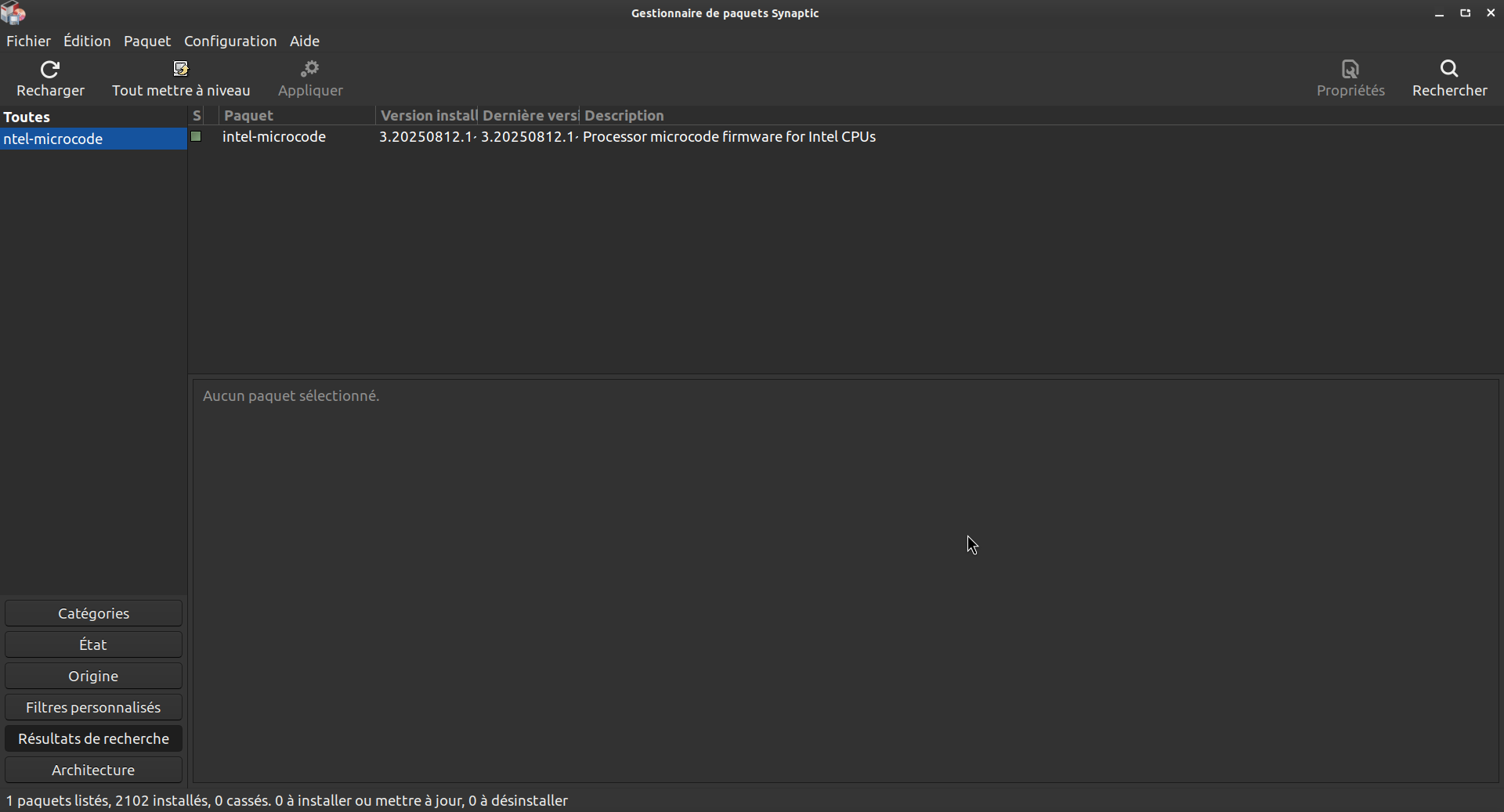
Before others respond, do the following: If you have Synaptic Package Manager installed on your system, run it (it will ask for your password) and search for “intel-microcode.” Check if it’s installed and install it if it’s not. If your problem persists after rebooting, please continue reporting it here.
I just checked the display settings and I don’t know how to go higher than 60 Hz…
Good question, I left the configuration settings at default, I didn’t know I could go up to 144 Hz in my case, what happens when you switch to this frequency?
Thank you for your help.
Thank you for your help. I just checked, and Intel Microcode is indeed installed in Synaptic.
I’m going to try formatting the root partition while leaving the Home partition intact.
Please share the output of this command:
systemd-analyze
and this:
systemd-analyze critical-chain
So we can see which boot process takes time.
jpdc91@pardus-83a2:~$ systemd-analyze
Startup finished in 4.911s (firmware) + 3.861s (loader) + 2.789s (kernel) + 1min 37.247s (userspace) = 1min 48.809s
graphical.target reached after 1min 37.247s in userspace.
jpdc91@pardus-83a2:~$ systemd-analyze critical-chain
The time when unit became active or started is printed after the "@" character.
The time the unit took to start is printed after the "+" character.

graphical.target @1min 37.247s
└─power-profiles-daemon.service @1min 37.224s +22ms
  └─multi-user.target @1min 37.222s
    └─vboxweb-service.service @1min 37.150s +49ms
      └─network-online.target @1min 37.144s
        └─NetworkManager-wait-online.service @1min 31.551s +5.591s
          └─NetworkManager.service @1min 30.780s +766ms
            └─dbus.service @1min 30.716s +59ms
              └─basic.target @1min 30.678s
                └─sockets.target @1min 30.677s
                  └─uuidd.socket @1min 30.677s
                    └─sysinit.target @1min 30.675s
                      └─apparmor.service @1min 30.599s +75ms
                        └─local-fs.target @1min 30.595s
                          └─tmp.mount @1min 30.562s +32ms
                            └─systemd-journald.socket @473ms
                              └─system.slice @432ms
                                └─-.slice @432ms
jpdc91@pardus-83a2:~$
Not everyone has that luxury; I have to choose between 60 Hz and 48 Hz, for example. 
But I don’t think this explains why this laptop boots up much more slowly than before.
It seems the first thing that you should better do is:
sudo systemctl disable NetworkManager-wait-online.service
I don’t think you need to wait for network connection until you login anyway. This service is useless for ordinary users, and slows down the booting time unnecessarily.
Youl’ll notice a big difference when you reboot.
I suggest you try to fix the problem before formating the root partition.
Upgrading from Pardus 23 / Debian 12 to Pardus 25 / Debian 13 should be OK usually.
I’ll try your advice, hoping it makes a difference. Do you think it could be related to the fact that I’m using Backports more or because the kernel is different?
I don’t think so. I also upgraded Pardus 23 to 25, and it’s booting in 4 or 5 seconds to a KDE Plasma session. I also have Debian 14 (testing), which takes about 1 second more, that’s it.
"Yavaş açılıyor"u “Yavaş çalışıyor” diye okumuşum. 
@urbain_michel , I am sorry, I misunderstood your question and misled you. But at least you know that your processor’s firmware is installed. 
Bu konu son yanıttan 30 gün sonra otomatik olarak kapatıldı. Yeni yanıtlara artık izin verilmiyor.